Colour highlights
If MiMo is able to access a grammar for your language it will colour your text using different colours for different wordclasses
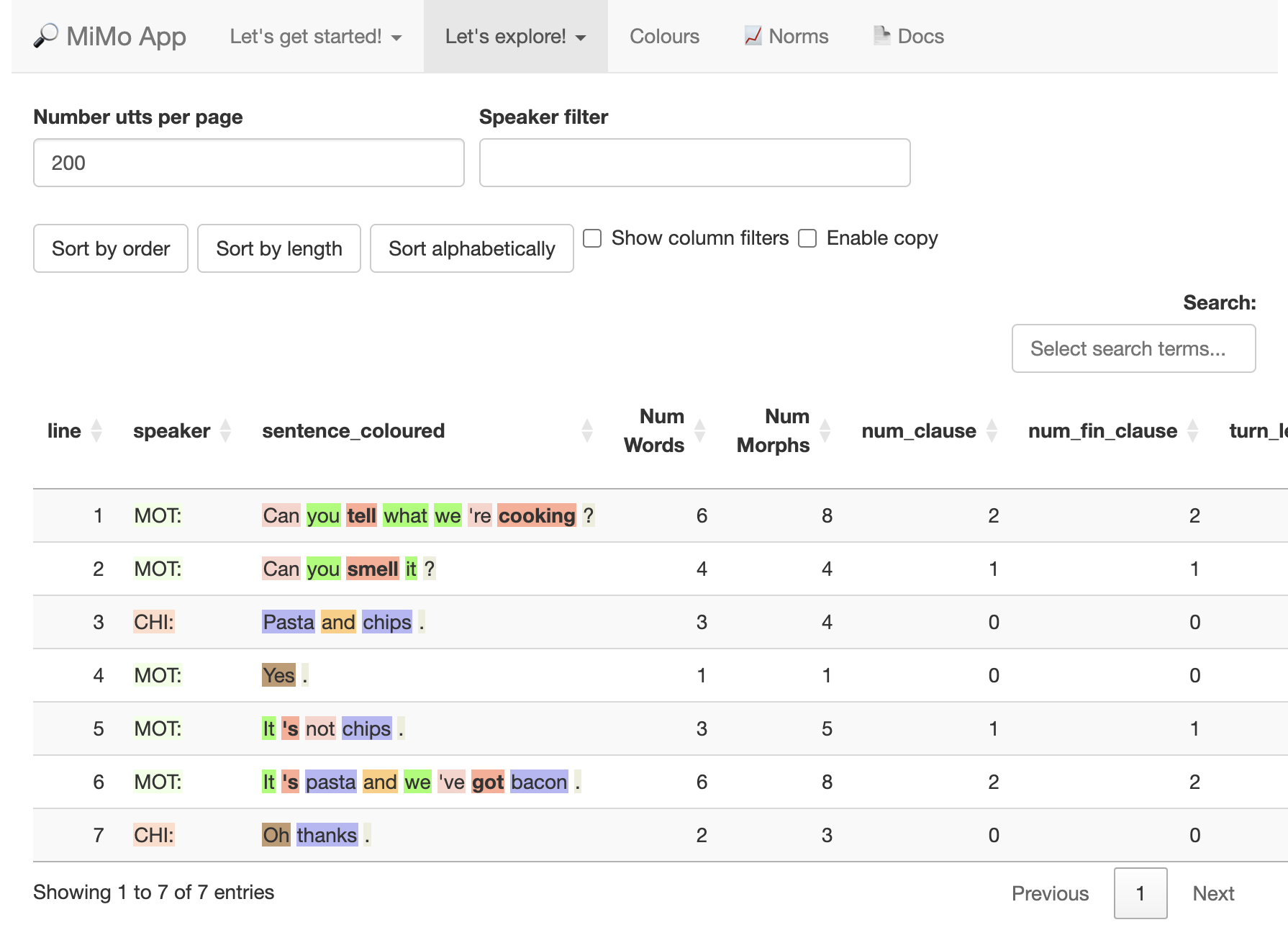
When you hover over the word, the word class will show in a box above the word.

The colours are designed to be meaningful. For example, all words related to the verb, e.g. verb, adverb, auxiliary verb are highlighted various shades of red / pink. I chose a bright colour because verbs are essential to sentences. There are many languages which have sentences consisting only of a verb, but few which have sentences consisting only of a noun.
Parsing is only about 95% accurate for well-formed sentences. This accuracy rate will probably fall below 95% for child language data, as fragmented and grammatically incorrect utterances pose particular difficulties for machine tagging.
So you will invariably come across errors.
However, in my humble opinion, tagging is good enough for the purposes of the app.
Changing the colour scheme
If you do not like the beautiful colours I have chosen, you may alter them on the Colours tab. Unfortunately, changes in colour do not persist across sessions, so if you close the browser, and you still want to use your bespoke colours, you will need to redo them.
You can also choose sets of colours, e.g. Verb-related words only, or Linking words. This might be a useful strategy to help you focus on particular types of words. For example, difficulties with verb morphology are very common in individuals with language difficulties, so choosing to highlight verb-related words only could help you to see common error patterns.